How to replace a legacy system without stopping the business

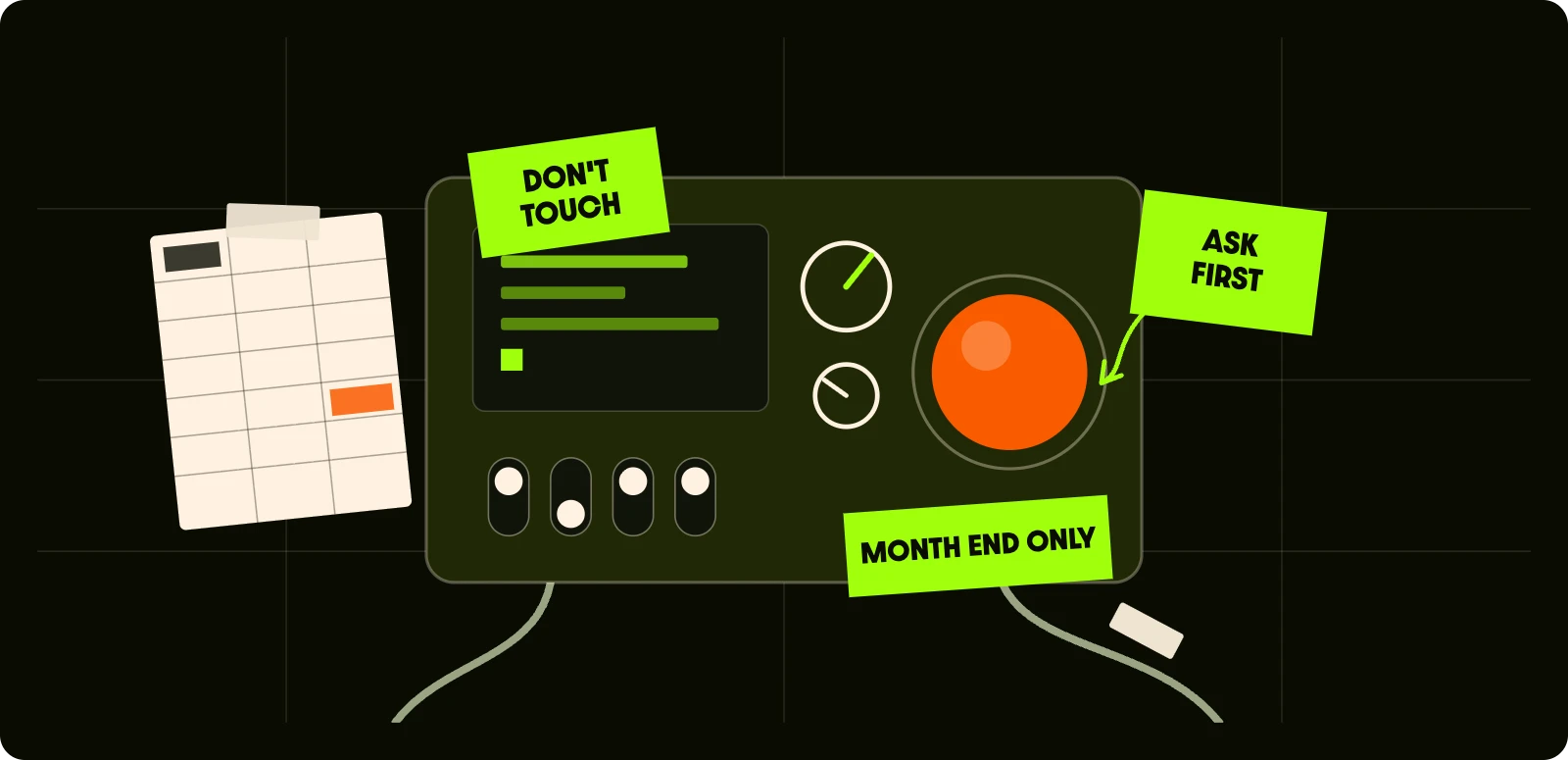
Every business has one. The system nobody wants to touch, the one held together by a spreadsheet, two workarounds and the one colleague who’s been here since 2009 and is the only person who knows what the orange button does.
Everyone agrees it needs replacing. Nobody wants to be the one who switches it off. Good news: you don’t have to switch it off. Not all at once, anyway.
TL;DR
- Skip the big bang. Replacing everything in one go is where most of the horror stories come from.
- Find out what the old system really does first. The documentation is wrong. Talk to the people who use it.
- Replace it a piece at a time, with the old and new running side by side until the new bit has earned its place.
- Treat the data as its own project. Migrate it in rehearsals, not on launch night.
- Bring people with you. The system is the easy part. Changing how people work is the hard bit.
Why big-bang replacements go wrong
The classic plan goes like this. Spend 18 months building a shiny new system in a corner. Pick a weekend. Switch the old one off on Friday, switch the new one on Monday, and hope.
It sounds tidy. In practice it stacks every risk into one weekend:
- The new system has never handled a real Monday morning
- Nobody has used it in anger, so the training is theory
- The data was migrated once, at 3am, by people who’d been awake since Thursday
- If it goes wrong, there’s no easy way back, because the old system is already off
And while those 18 months tick by, the business keeps changing. By launch day, the new system is built for how you worked two years ago.
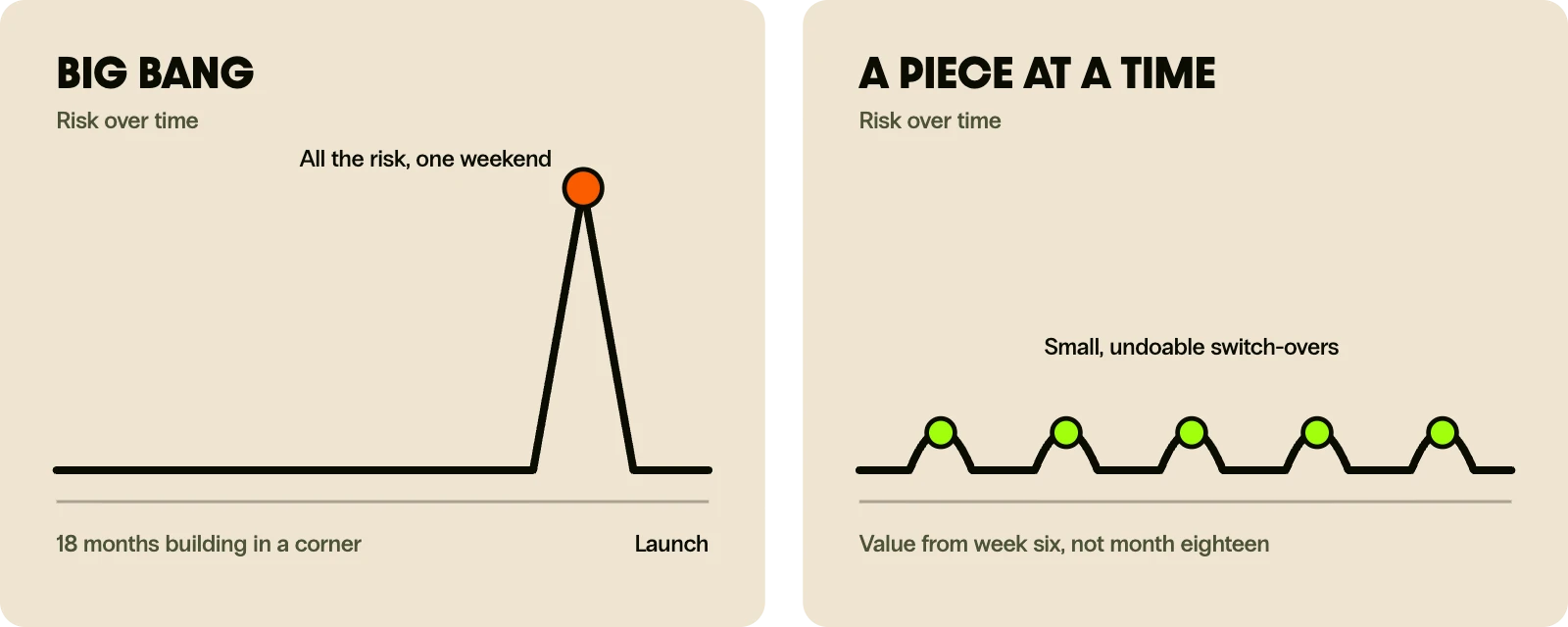
The risk isn’t replacing the system. It’s replacing all of it at once.
Start by finding out what the old system actually does
Not what the spec from 2012 says it does. What it actually does, on a Tuesday, for the people using it.
Old systems pick up hidden jobs over the years. A field that’s “unused” turns out to drive the month-end report. A nightly export feeds a spreadsheet that finance can’t live without. A quirk everyone hates is quietly stopping a compliance problem. Replace the system without spotting these and you’ll find them the hard way.
So before anyone writes a line of new code:
- Sit with the people who use it. Watch, don’t just ask. The workarounds are where the real requirements live.
- Map what goes in and out. Every integration, export, email and report. Including the ones nobody owns.
- Rank the pain. Which parts cost the most time, money or risk? That’s where you start.
- Decide what not to rebuild. Some features are only there because of the old system’s limits. Leave them behind.
The workarounds are where the real requirements live.
This bit usually takes weeks, not months. It’s also the cheapest insurance you’ll ever buy.
Replace it a piece at a time
Engineers call this the strangler fig pattern, after a plant that slowly grows around a tree until it can stand on its own. Less dramatic than it sounds. It just means the new system takes over one job at a time while the old one keeps running.
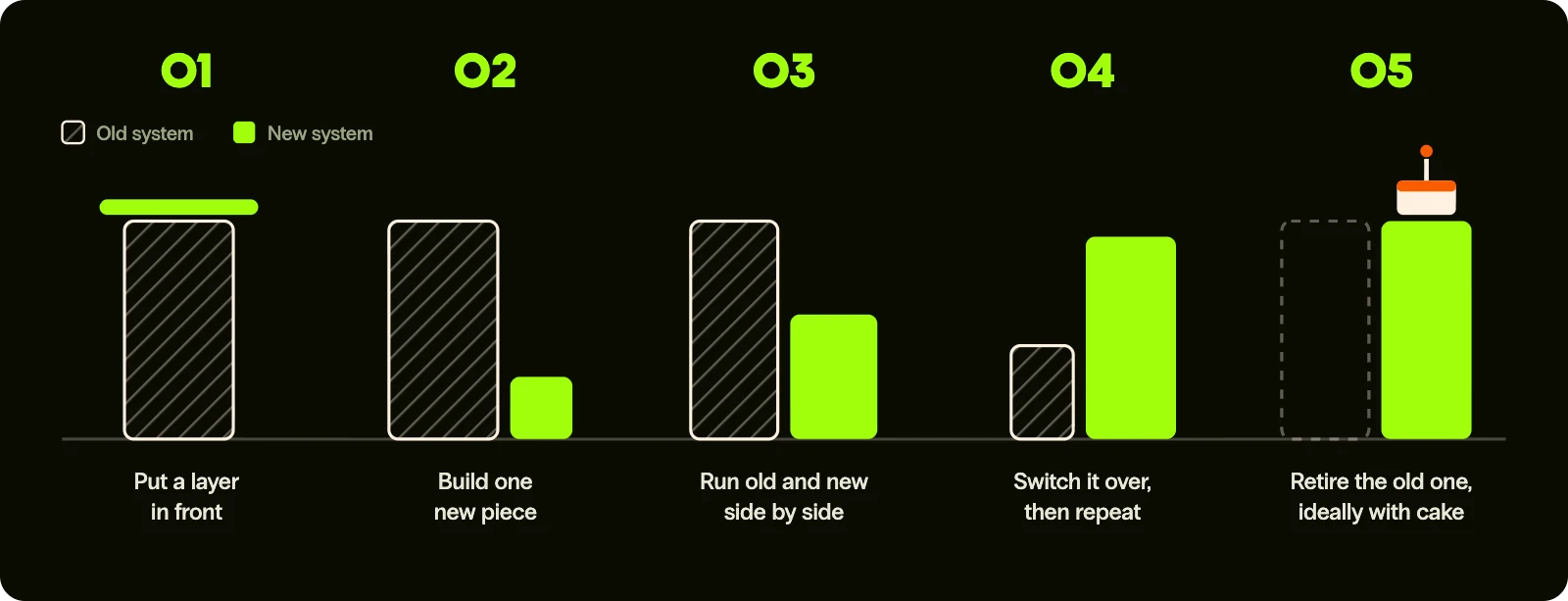
It usually looks like this:
- Put a layer in front of the old system. Users and other systems talk to that layer, not directly to the old one. Nobody notices any change.
- Build one piece of the new system. Pick something valuable but contained: one report, one workflow, one team.
- Run old and new side by side. Send real work through both and compare the results. Differences are bugs you’ve caught before they mattered.
- Switch that piece over. Quietly. If something’s off, switch back. The old system is still there.
- Repeat until the old system isn’t doing anything. Then retire it, ideally with cake.
The business keeps running the whole time. Each step is small enough to undo. And you start getting value from the new system in weeks, rather than waiting a year and a half to find out if it works.
Each step should be small enough to undo before lunch.
Data migration and cutover, without the drama
Data is where most replacements actually get hurt. Ten years of records, three naming conventions, duplicates, and a field called “notes2” that somehow holds everyone’s phone numbers.
A few rules that save a lot of pain:
- Clean before you move. Migrating rubbish just gives you rubbish in a nicer font.
- Rehearse it. Run the migration again and again on copies of real data until it’s boring. Launch night should be the fifth or sixth time, not the first.
- Check the numbers match. Record counts, totals, balances. If finance can’t reconcile it, it isn’t done.
- Move in slices where you can. One region, one product line or one team at a time.
- Always have a way back. A clear rollback plan, agreed in advance, so nobody’s making it up at 2am.
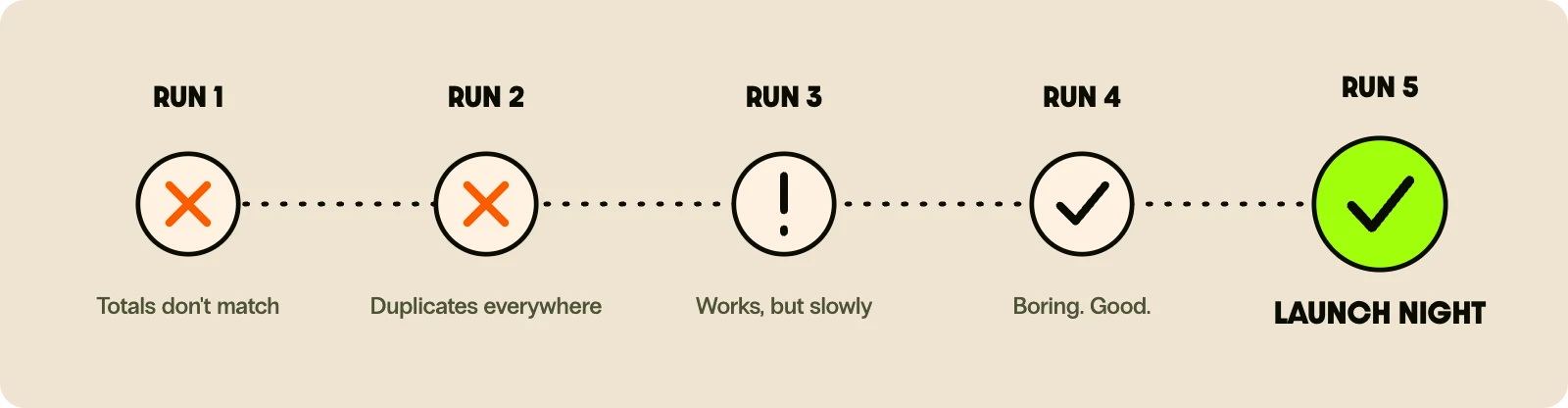
Pick the quiet moment for each switch. Not month-end, not your busiest week, not the Friday before someone’s holiday.
Keeping people on side
The technology is rarely what sinks a replacement. People quietly carrying on with the old spreadsheet is.
Remember the colleague who knows what the orange button does? They’re not being awkward. They’ve spent fifteen years getting good at the old system, and you’re asking them to be a beginner again. Bring them in early, ask what drives them mad, and let them shape the new version. They’ll go from biggest blocker to biggest champion.
What helps:
- Involve the daily users from day one, not at the training session two weeks before launch
- Show progress early. A working piece in week six beats a slide deck in month six
- Give one clear owner on your side who can make calls quickly
- Say what’s changing and when, in plain words, before people hear it from the rumour mill
Your longest-serving user isn’t the problem. They’re the user research you haven’t done yet.
What this looks like in practice
We’ve done this in places where switching off for the weekend simply isn’t an option:
- ScotRail: rebuilt the safety-critical notification system behind 100 million passenger journeys a year. Trains don’t stop for a software upgrade.
- GAH Refrigeration: modernised a decade-old telematics platform, giving real-time visibility of every vehicle and compartment in the fleet, down to the degree.
- NHS Scotland (SNBTS): turned national donor selection guidance into a new digital system that gets staff to a decision in seconds.
Different sectors, same approach. Understand what’s really there, replace it in steps, keep the lights on throughout.
Fix it, replace it, or leave it alone?
Not every old system needs replacing. Some just need a tidy-up and a few good integrations. A quick gut check:
- It works, it’s stable, and people don’t hate it: leave it alone and connect it to newer tools.
- It mostly works, but a few parts cause real pain: fix or replace just those parts.
- It’s blocking growth, can’t be supported, or is a security risk: replace it, a piece at a time.
- Only one person understands it: start documenting today, whatever you decide.
If you’re staring at a system and can’t decide which box it’s in, that’s exactly the conversation we like having. No jargon, no 80-page proposal. Just an honest view of what’s worth doing and what isn’t. Talk to us.